
Invoicing for work billed in stages
Notchbill is free invoicing for contractors, tradespeople and small businesses. Send an estimate, bill it a percentage at a time, and always know what's left.
Free, with no paid plan. Sign in with Google or a code sent to your email.
Progress billing
Bill a share of the estimate as each stage is done
-
Your client approves the estimate
That approved total is what every progress invoice is measured against.
-
Invoice a percentage when a stage is done
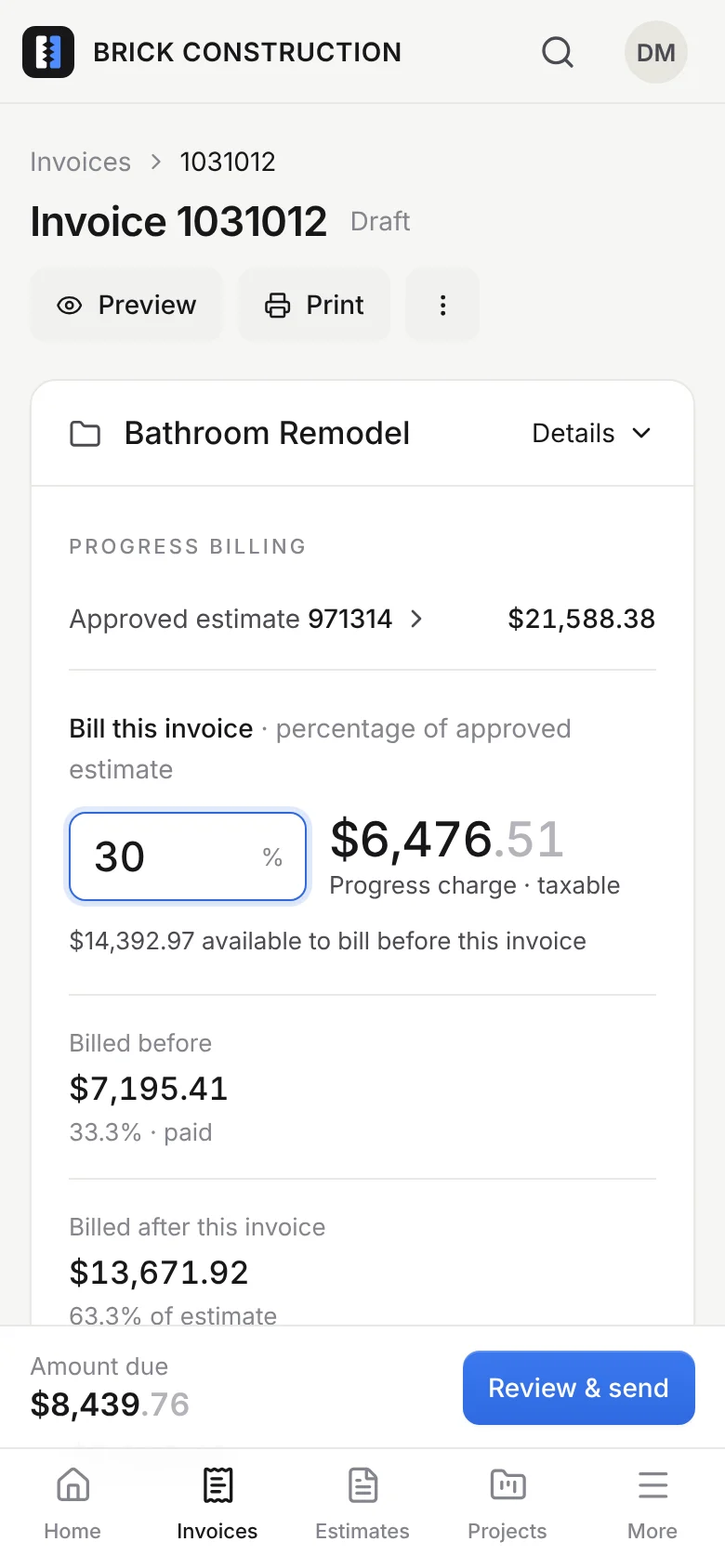
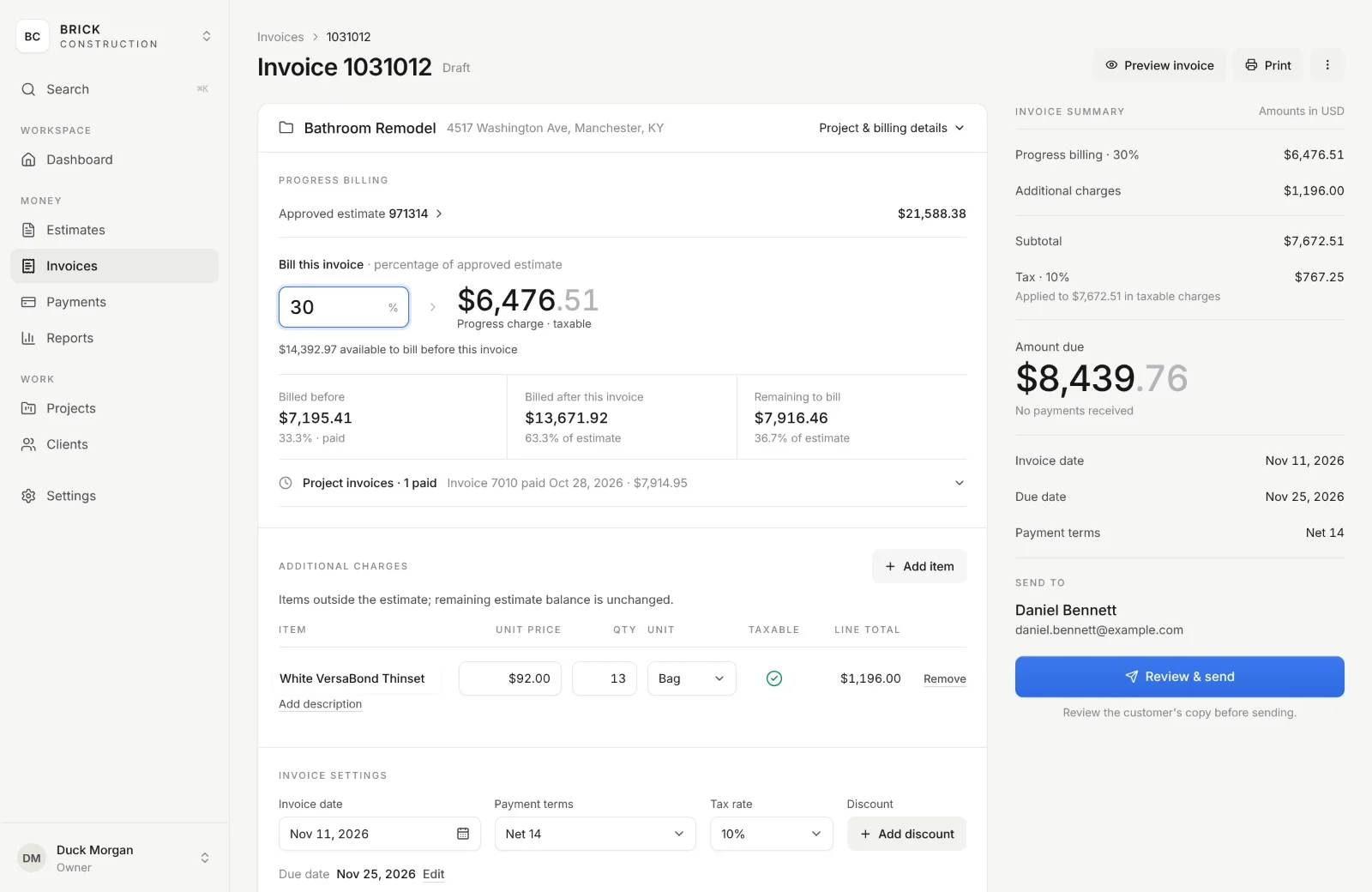
Bill 30% when the framing is finished, for example. Notchbill works out the amount.
-
See what's billed and what's left
Each invoice shows what was billed before, what it adds and what remains. Notchbill won't let you bill past 100%.
Approved estimate
$21,588.38
| Line | Share | Amount |
|---|---|---|
| Billed before | 33.3% | $7,195.41 |
| This invoice | 30.0% | $6,476.51 |
| Billed after | 63.3% | $13,671.92 |
| Remaining | 36.7% | $7,916.46 |
The rest of the job
From estimate to paid
Estimates, approved online
Send an estimate by email. Your client opens it, types their name and clicks approve, and you get an email when they do.
Invoices your client can open
Each invoice is emailed with a link to your client's copy, ready to view or print. Lines carry their own unit, quantity and price, taxed or not. Add discounts and terms from due on receipt to Net 60, or pick a due date.
Payments and reminders
Record payments by bank transfer, card, cash or check, and email a receipt if you like. Overdue invoices get a reminder after the due date, then weekly, three at most. You can turn reminders off.
What you're owed, at a glance
The dashboard shows what's outstanding, what's overdue and what came in over the last 30 days, with a six-month chart. Reports sort unpaid invoices by age and total them by client.
Bring your team. Run more than one business.
Invite people by email as an Owner, Admin or Member. One account can hold several businesses, each with its own clients, invoices, people and currency.
About 30 currencies, including
- USD
- EUR
- GBP
- INR
- SGD
- AUD
- CAD
- NZD
- AED
- JPY
Questions
Before you sign up
- Is Notchbill free?
- Yes. Notchbill is free to use, and there is no paid plan.
- Can my clients pay online?
- No. Notchbill doesn't process card payments. Your clients pay you the way they do today, and you record each payment against the invoice, whether it came by bank transfer, card, cash or check.
- Where is my data kept?
- In a Cloudflare D1 database, and emails go out through Cloudflare Email Service. There are no ads, no analytics and no tracking, and your data is never sold. The privacy policy has the details.
- Do I need a password?
- No. You sign in with Google or with a one-time code sent to your email.
Try it on your next job
Set up your business, add a client and send your first estimate or invoice.
Create a free account